Stop using the default meeting summary for every task
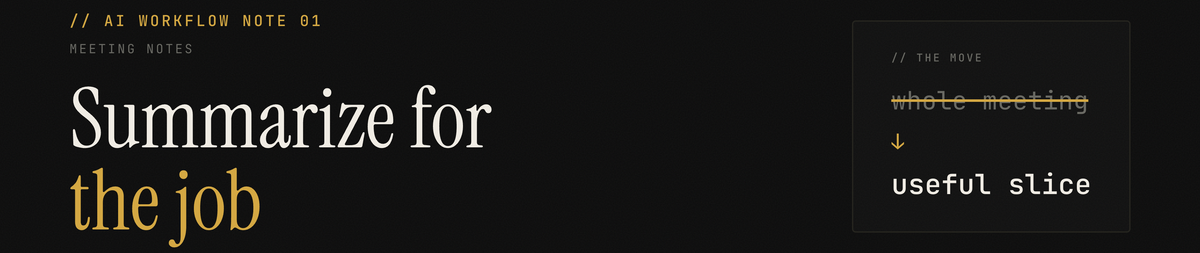
Context is everything with AI. Meeting summaries are a simple example. When the task changes, go back to the transcript and ask for the slice you actually need.
AI meeting notes are great.
The default summary after a call is useful. It tells you what happened. It gives you the basic shape of the conversation. It saves you from scrolling through an hour of transcript to remember whether you covered pricing, timelines, or next steps.
That is level one.
Level two is realizing that the default summary is not the meeting. It is one cached view of the meeting, created with one set of assumptions about what matters.
This is one of the places where the broader AI lesson shows up in a very practical way.
Context is everything.
The quality of the answer depends on the context you provide. With meeting notes, that means the useful summary depends on the job you are trying to do.
That view is usually broad. It tries to represent the whole conversation. That is useful if your job is to remember what the meeting was about.
It is much less useful when your job is narrower.
Maybe you want to turn one five-minute exchange into a client follow-up. Maybe you are trying to reconstruct the part where someone reacted to a proposal. Maybe you are writing a document and need the exact concern that came up halfway through the call.
In those cases, you do not want a neutral summary of the whole meeting.
You want to contextualize the summary and data extraction for the task in front of you.
The better workflow
Treat the transcript as the source of truth.
Treat the default summary as orientation.
When you have a specific task, go back to the transcript and generate the summary for that task. You are not asking AI to summarize better in the abstract. You are telling it what kind of summary would be useful now.
In my setup, the Granola Obsidian plugin syncs the full transcript into my document repository. That means my meeting transcripts live alongside the rest of my working files. I can point my AI at the raw transcript and ask it to extract the part I need.
Other tools expose the same pattern differently. In Granola itself, and in many AI note-taking tools, you can usually open the meeting and use the chat with notes feature. You do not need my exact setup. You need access to the underlying transcript and a prompt that tells the tool what job the summary is supposed to do.
Try this.
Review this meeting transcript and focus only on the part where we discussed [topic].

I am using this to [write a follow-up email / update a proposal / make a product decision / create a content draft].

Ignore the rest of the conversation unless it changes the meaning of that section.

Pull out the following.

1. Key points
2. Decisions
3. Open questions
4. Useful context
5. Exact phrasing worth preserving
6. Suggested follow-up
You can adapt the last line depending on the task.
If you are writing a follow-up email, ask for the claims, commitments, and next steps.
If you are writing a proposal, ask for pain points, objections, buying criteria, and language the client used.
If you are creating content, ask for the specific exchange, the idea underneath it, and the parts that would be legible to someone who was not in the room.
Why this matters
A meeting transcript is not valuable because it produces one summary.
It is valuable because it lets you keep generating the right summary as your task changes.
The same conversation can support a follow-up email, a product decision, a proposal, a CRM update, a strategy memo, or a newsletter draft. Each one needs a different read on the same raw material.
The auto-summary is the first read.
It should not be the only read.
The practical upgrade is small. Stop asking only, "What did we talk about?"
Ask, "What context does the AI need to extract the right part of this conversation?"
Then go back to the transcript and summarize for that job.